Luma Game Guide
Rail Cart Buddies Guide
A source-aware guide to momentum, checkpoints, camera views, mobile controls, the built-in track editor, and community-track evaluation.
Quick answer
Quick Answer: How To Stay On The Rails
Build speed on straight sections, slow before sharp curves, use checkpoints as practice markers, and switch camera views when a track needs better depth judgement. Fast times come after consistency, not before it.
- Accelerate only when the next rail segment is straight or gently banked.
- Brake before a curve rather than during the hardest turn.
- Use reset and respawn to repeat one bad section instead of restarting blindly.
Rail Cart Buddies is a July 2026 CrazyGames HTML5 rail-riding skill game with ghost racers, per-track leaderboards, community tracks, and an in-game track editor. The official page explains the feature set, but players still need practical help with speed, cornering, camera view, reset habits, and first-track design.
Luma is not embedding the game on this page. This guide focuses on original player advice and safe source boundaries: use the public platform page to play, do not download mod files, and treat “custom track” as the built-in editor rather than an unofficial file-sharing promise.
Desktop And Mobile Controls
The public listing shows WASD or arrow keys for driving and steering, Space to jump on foot, E to hop off the cart or use a nearby pylon, F to switch first-person and third-person view, G to reset to the last checkpoint, V to respawn at the hub, and mouse controls for looking and zooming. Mobile uses an on-screen joystick plus HUD buttons for speed, braking, jumping and leaving the cart.
- Desktop: use camera zoom to preview steep drops before committing.
- Mobile: keep one thumb reserved for braking so curves do not become all-or-nothing.
- If a track feels unreadable, switch view before blaming the physics.
Speed, Curves And Banking
The official description is clear: too much speed through a turn can throw you off the track. Treat every curve as a momentum test. Enter slower than feels exciting, ride the bank, then accelerate after the cart straightens.
- Short straight into sharp curve: brake early and hold a smooth line.
- Long straight into loop: build speed only if the entry is centered.
- Banked turn: stay calm, avoid oversteering, and let the rail angle do part of the work.
Checkpoints, Reset And Respawn
Checkpoints are practice tools. If you fail the same curve three times, stop trying to finish the whole track and repeat that section deliberately. Use reset when you want another attempt from the last checkpoint; use respawn when the hub route or track choice matters more.
- After a derail, ask whether the cause was speed, steering, camera, or track reading.
- Use G-style reset habits for section practice.
- Use hub respawn when you need to change tracks or recover from a confusing state.
Track Editor First Build
The built-in editor is the long-tail hook, but the first goal should be a finishable course. Start with a straight, one gentle turn, one drop, and one checkpoint. Add loops or steep banks only after another player could reasonably complete the route.
- Build a simple spine first: start, checkpoint, finish.
- Test every curve at beginner speed and faster leaderboard speed.
- Use pylons and visible landmarks so players understand where to go next.
Community Tracks And Source Boundaries
Choose community tracks by qualities you can verify: a readable start, fair checkpoints, clear camera moments, and difficulty that comes from timing instead of confusion. Avoid unofficial track downloads or pages that present custom tracks as mods.
- Good community tracks are replayable, readable, and fair after one or two attempts.
- Avoid calling custom tracks “mods” unless the platform itself uses that language.
- Do not mirror player map files or ask users to install track packs.
Featured Picks
Each recommendation opens a browser player from its detail page with no download required.
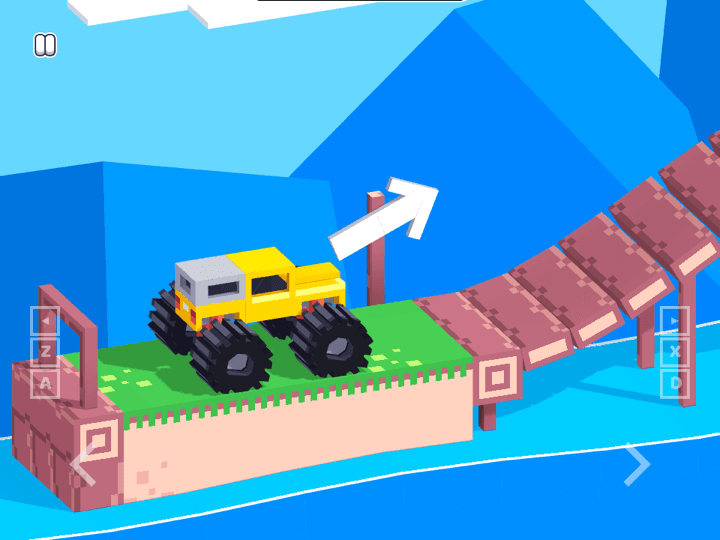
Drive Mad
Drive Mad is a physics driving challenge where the hard part is not raw speed. Each level asks you to control throttle, rotation, landing angle, and vehicle balance with very small inputs, so the best runs feel more like careful puzzle solving than racing.
A physics driving guide target for players who like learning speed and landing control.
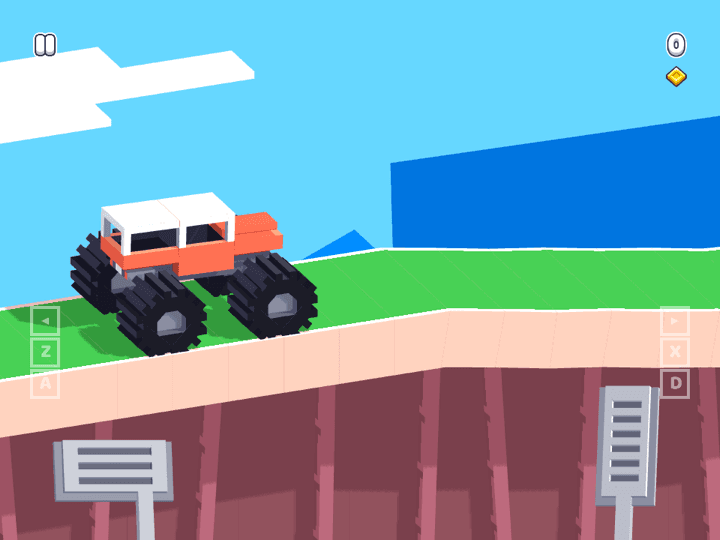
Monster Tracks
Monster Tracks is a side-view truck challenge where balance is the real difficulty. The vehicle can climb rough terrain, but careless throttle makes it tip, bounce, or land nose-first before the finish.
A vehicle challenge with short runs and momentum decisions.
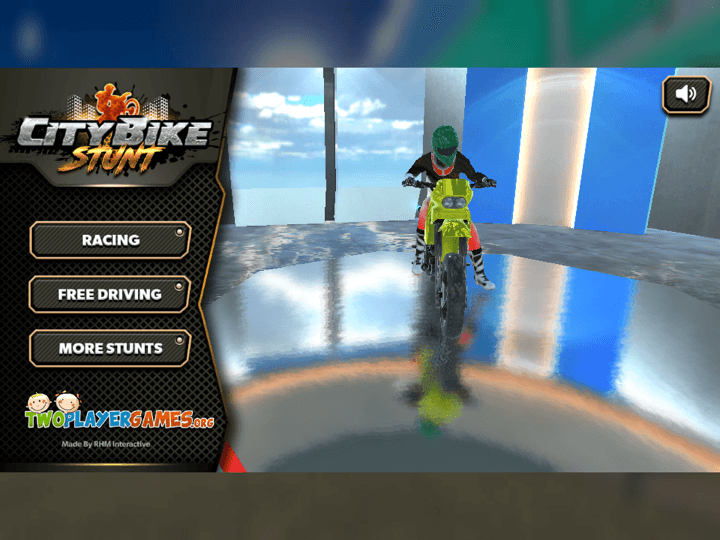
City Bike Stunt
City Bike Stunt is a motorcycle stunt driving game built around ramps, speed, balance, and clean landings. The track looks like a race course, but the real challenge is deciding when to use nitro, how to angle the bike in the air, and when to slow down before a dangerous jump.
A stunt-driving option for players who want ramps and timing practice.
Frequently Asked Questions
- How do I stop flying off the track in Rail Cart Buddies?
- Slow before sharp curves, center the cart before loops, and avoid oversteering on banked rails. Most derails come from entering a turn too fast.
- Does Rail Cart Buddies have a track editor?
- Yes. CrazyGames describes a built-in track editor for creating rails with loops, drops, banks and community sharing.
- What is the difference between reset and respawn?
- Use reset to retry from your last checkpoint. Use respawn when you need to return to the hub or recover from a broader route problem.
- Can I play Rail Cart Buddies on mobile?
- CrazyGames lists desktop, mobile, and tablet browser support. Mobile uses an on-screen joystick and HUD buttons for speed, braking, jumping, and leaving the cart.
- Does Luma provide custom map downloads?
- No. This page explains the built-in editor and community-track evaluation. It does not host player map files, mods, or track packs.
Use this guide to learn the rail logic, then compare it with verified Luma driving and platform games.
Related Guides
Official & Reference Links
Use these external links to verify the game source and creator context; they do not imply a commercial partnership with Luma.
- Rail Cart Buddies on CrazyGames →
Primary public source used to verify release month, HTML5 engine, platform support, controls, track editor and community features.