G-Switch 3
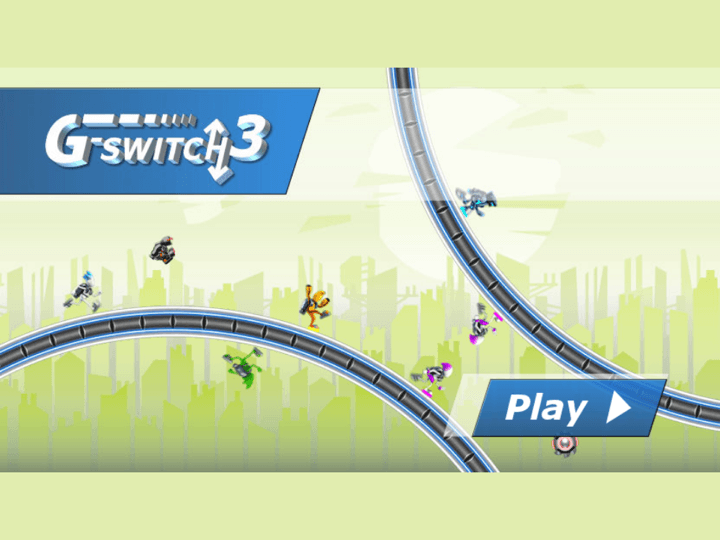
G-Switch 3 is a gravity-flipping runner where one input changes everything. You survive by flipping at the last safe moment, reading both the floor and ceiling, and staying calm as the speed climbs.
G-Switch 3
The third-party game loads only after you click, keeping the first view faster.
💡Use in-game fullscreen; controls are listed below.
Today's picks
Try another game
G-Switch 3 quick guide
G-Switch 3 is a gravity-flipping runner where one input changes everything. You survive by flipping at the last safe moment, reading both the floor and ceiling, and staying calm as the speed climbs.
What to focus on while playing
The game looks like a one-button runner, but good runs are about restraint. Early flips usually drop you into the next hazard, while late, deliberate flips keep more options open.
Use this page to review the core mechanic before playing solo or local multiplayer. The goal is not to press faster, but to stop panic-flipping when the tunnel gets crowded.
How to play
- 1Run automatically through the stage while hazards appear on the floor and ceiling.
- 2Flip gravity to move between surfaces and pass through open gaps.
- 3In multiplayer, each player uses one assigned key; the last runner alive wins.
Controls
Flip gravity
Click, tap, or press the assigned key to switch between floor and ceiling.
Multiplayer keys
Each local player uses one key, depending on the in-game setup screen.
Restart
Use the in-game restart after everyone crashes or a solo run ends.
Practical tips
- ✓Flip late. If you switch too early, the next saw or gap often has more time to catch you.
- ✓Read both surfaces before every flip, not only the lane you are currently running on.
- ✓Quick double-flips can skip a hazard and return you to the same side.
- ✓In multiplayer, do not copy another player blindly; their lane timing may not match yours.
FAQ
- How do you play G-Switch 3?
- Use one input to flip gravity between the floor and ceiling. The skill is choosing the last safe moment to flip through hazards.
- Does G-Switch 3 have multiplayer?
- Yes. It supports local multiplayer with several players sharing one keyboard, each using a single key.
- Is G-Switch 3 safe to play without downloads?
- Yes on Luma. Use the browser player and avoid pages that ask for installers, extensions, or unrelated permissions.
Related guides
Today's picks
Try another game
Game Info
Status
Active
👨💻Listed Source
4399 游戏平台↗This is public source or distribution-page information, not a verified original developer claim.
💡Game Tips
- ✓Flip late. If you switch too early, the next saw or gap often has more time to catch you.
- ✓Read both surfaces before every flip, not only the lane you are currently running on.
- ✓Quick double-flips can skip a hazard and return you to the same side.
- ✓In multiplayer, do not copy another player blindly; their lane timing may not match yours.
Similar Games
Adam and Eve 4
Adam and Eve 4 is a light point-and-click puzzle adventure where progress comes from reading the scene before clicking. The best approach is to test objects in order, notice what changes, and avoid random clicking that makes the puzzle harder to understand.

Adam and Eve 5: Part 1
Adam and Eve 5: Part 1 is a point-and-click puzzle adventure where every scene is solved by changing the environment in the right order. The fastest progress comes from spotting the obstacle, testing nearby objects once, and watching each animation before choosing the next click.

Adam and Eve 5: Part 2
Adam and Eve 5: Part 2 continues the point-and-click puzzle format with new scenes and slightly trickier object order. Good runs come from treating each screen like a chain: solve the blocker, watch the reaction, then use the next object that appears or changes.