G-Switch 2
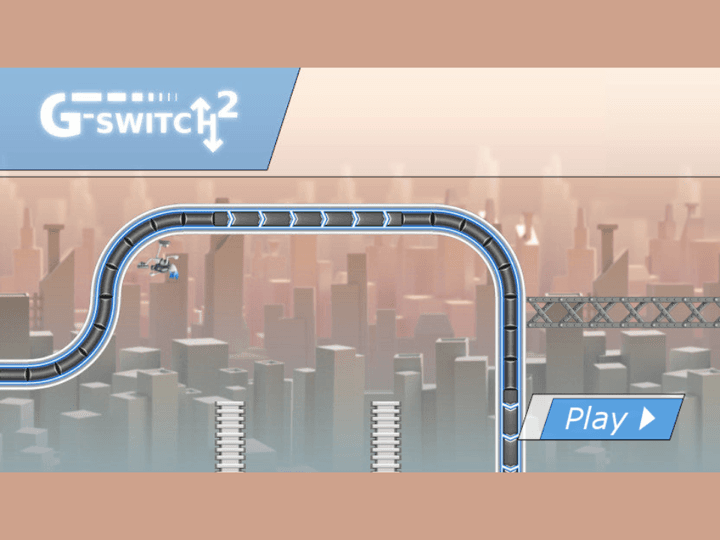
G-Switch 2 is a one-input gravity runner with three levels, ten checkpoints per level, seven secret orbs, and a shared-keyboard multiplayer mode. The input is simple; the challenge is reading both surfaces and delaying each flip until the last safe moment.
G-Switch 2
The third-party game loads only after you click, keeping the first view faster.
💡Use in-game fullscreen; controls are listed below.
Today's picks
Try another game
G-Switch 2 quick guide
G-Switch 2 is a one-input gravity runner with three levels, ten checkpoints per level, seven secret orbs, and a shared-keyboard multiplayer mode. The input is simple; the challenge is reading both surfaces and delaying each flip until the last safe moment.
What to focus on while playing
Your runner moves automatically, so every decision is about timing. Before each flip, scan the floor and ceiling together: a safe landing surface can still lead directly into the next wall or gap.
The official Serius Games page lists three levels with ten checkpoints each and seven secret orbs. Treat checkpoints as practice markers. First learn a stable route, then replay for missed orbs instead of risking every collectible on the first clear.
How to play
- 1Run automatically and flip gravity to move between the floor and ceiling.
- 2Reach checkpoints to preserve progress through each of the three levels.
- 3Collect the seven secret orbs on later attempts after you know the safe route.
- 4For local multiplayer, assign one key per player and survive longer than the other runners.
Controls
Flip gravity
Click, tap, or press the assigned key once to switch surfaces.
Multiplayer
Each local player uses the key shown on the game setup screen.
Restart
Use the in-game restart after a crash or completed multiplayer round.
Practical tips
- ✓Flip late enough to see the next landing surface, but before your runner reaches the obstacle edge.
- ✓Do not chase a secret orb until you can already reach the next checkpoint consistently.
- ✓A quick double-flip can return you to the same surface, but only use it when both transitions are visible.
- ✓In multiplayer, watch your own lane timing instead of copying another player who may be slightly ahead.
FAQ
- How many levels are in G-Switch 2?
- The official Serius Games browser page lists three levels with ten checkpoints in each level.
- Where are the 7 secret orbs in G-Switch 2?
- They are hidden along the level routes. Learn the checkpoint path first, then replay and inspect alternate floor and ceiling lines instead of risking every orb during the first clear.
- Does G-Switch 2 have multiplayer?
- Yes. The official browser page supports shared-keyboard local multiplayer with up to eight people, subject to the current game build and keyboard input limits.
- Can I play G-Switch 2 without downloading it?
- Yes. Use the browser player and avoid unrelated installers, APK files, or extension prompts.
Related guides
Today's picks
Try another game
Game Info
Status
Active
👨💻Listed Source
4399 游戏平台↗This is public source or distribution-page information, not a verified original developer claim.
💡Game Tips
- ✓Flip late enough to see the next landing surface, but before your runner reaches the obstacle edge.
- ✓Do not chase a secret orb until you can already reach the next checkpoint consistently.
- ✓A quick double-flip can return you to the same surface, but only use it when both transitions are visible.
- ✓In multiplayer, watch your own lane timing instead of copying another player who may be slightly ahead.
Similar Games
Adam and Eve 4
Adam and Eve 4 is a light point-and-click puzzle adventure where progress comes from reading the scene before clicking. The best approach is to test objects in order, notice what changes, and avoid random clicking that makes the puzzle harder to understand.
Adam and Eve 5: Part 1
Adam and Eve 5: Part 1 is a point-and-click puzzle adventure where every scene is solved by changing the environment in the right order. The fastest progress comes from spotting the obstacle, testing nearby objects once, and watching each animation before choosing the next click.
Adam and Eve 5: Part 2
Adam and Eve 5: Part 2 continues the point-and-click puzzle format with new scenes and slightly trickier object order. Good runs come from treating each screen like a chain: solve the blocker, watch the reaction, then use the next object that appears or changes.