Cow Bay
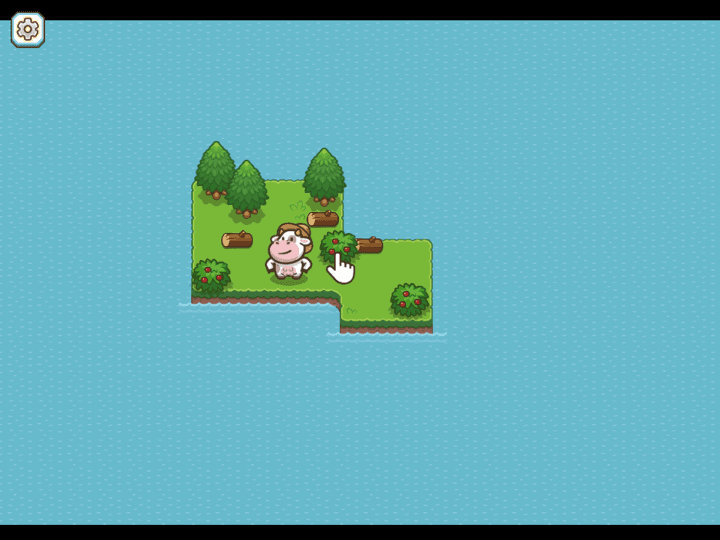
Cow Bay is a cozy idle farming simulation where you gather berries, collect wood, craft tools, and expand a small island settlement. The loop is relaxed, but progress is smoother when you manage energy, storage, and quest order instead of tapping every object at random.
Cow Bay
The third-party game loads only after you click, keeping the first view faster.
💡Use in-game fullscreen; controls are listed below.
Today's picks
Try another game
Cow Bay quick guide
Cow Bay is a cozy idle farming simulation where you gather berries, collect wood, craft tools, and expand a small island settlement. The loop is relaxed, but progress is smoother when you manage energy, storage, and quest order instead of tapping every object at random.
What to focus on while playing
Start by treating each quest as a path to a new system. Early tasks teach gathering, then later upgrades introduce workbenches, cooked food, storage boxes, tools, and new islands. If you run out of energy or inventory space, the next useful action is usually cooking, unloading, or checking a crafting station.
This page focuses on practical browser play: what to tap first, how to avoid wasted energy, when to craft tools, and how to keep the farm-building loop moving without downloads or suspicious installers.
How to play
- 1Click or tap resources such as berries, logs, crops, buildings, and workstations.
- 2Complete the quest prompts to earn coins, unlock new areas, and add more production options.
- 3Use crafting stations, storage, and food to keep gathering efficient as the island grows.
Controls
Interact
Click or tap an object to harvest, gather, craft, cook, or use it.
Choose next task
Follow the current quest prompt when you are unsure where to go.
Manage resources
Open storage or crafting menus when inventory or energy slows progress.
Practical tips
- ✓Do not spend energy on every object nearby; prioritize the item requested by the active quest.
- ✓Unlock new islands when available because key crafting ingredients may be outside the starting area.
- ✓Check workbench menus when you cannot find an item; it may need to be crafted from simpler materials.
- ✓Keep some food ready before long gathering runs so energy does not interrupt progress.
FAQ
- What is the main goal in Cow Bay?
- Turn a small island into a working settlement by gathering resources, completing quests, crafting tools, and unlocking new areas.
- What should I do when I cannot find a quest item?
- Check each workstation or storage area. Many required items are crafted from basic resources rather than collected directly.
- Can I play Cow Bay on mobile?
- Yes. Cow Bay works well with tap controls, but slower deliberate taps help avoid wasting energy on the wrong object.
Related guides
Today's picks
Try another game
Game Info
Status
Active
👨💻Listed Source
4399 游戏平台↗This is public source or distribution-page information, not a verified original developer claim.
💡Game Tips
- ✓Do not spend energy on every object nearby; prioritize the item requested by the active quest.
- ✓Unlock new islands when available because key crafting ingredients may be outside the starting area.
- ✓Check workbench menus when you cannot find an item; it may need to be crafted from simpler materials.
- ✓Keep some food ready before long gathering runs so energy does not interrupt progress.
Similar Games
Adam and Eve 4
Adam and Eve 4 is a light point-and-click puzzle adventure where progress comes from reading the scene before clicking. The best approach is to test objects in order, notice what changes, and avoid random clicking that makes the puzzle harder to understand.
Adam and Eve 5: Part 1
Adam and Eve 5: Part 1 is a point-and-click puzzle adventure where every scene is solved by changing the environment in the right order. The fastest progress comes from spotting the obstacle, testing nearby objects once, and watching each animation before choosing the next click.
Adam and Eve 5: Part 2
Adam and Eve 5: Part 2 continues the point-and-click puzzle format with new scenes and slightly trickier object order. Good runs come from treating each screen like a chain: solve the blocker, watch the reaction, then use the next object that appears or changes.